

Deposit money into your wallet
Verify your identity and add your first digital dollars.
In this tutorial you'll verify your identity and add your first digital dollars to your wallet.
All you need is a MozaikPay account.
Verify your identity
Tap Deposit on your home screen. On a fresh account there's a single option, crypto deposits. The local options for your country unlock once you verify your identity, and the app prompts you to do it right there.
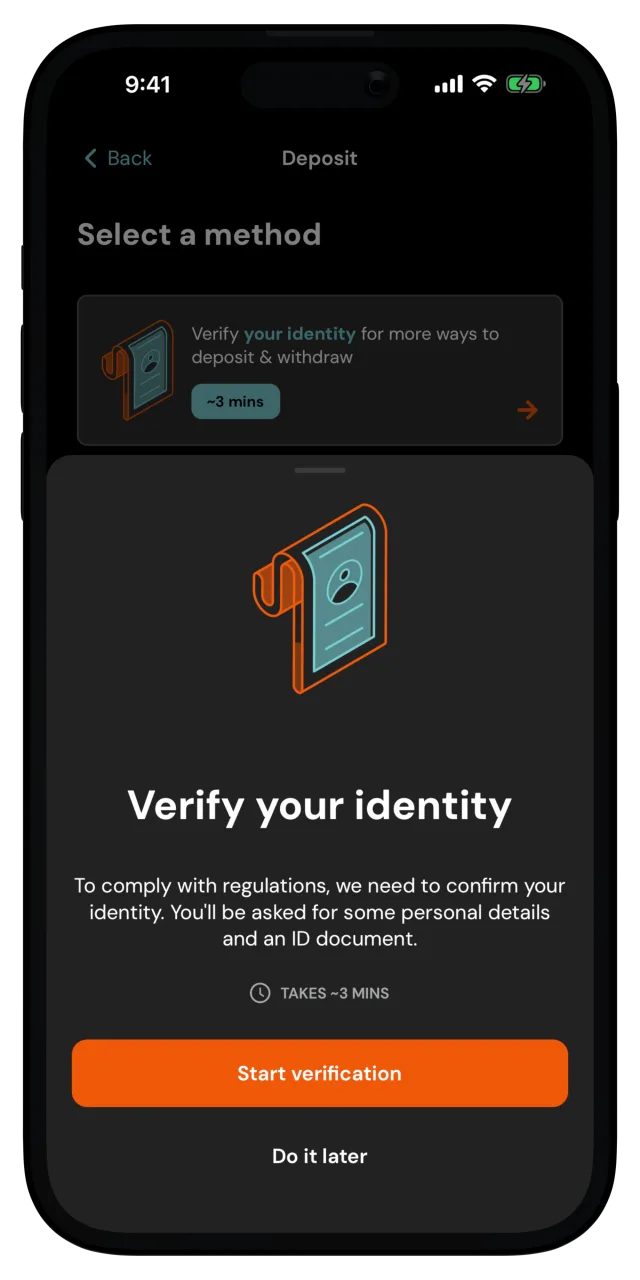
Tap Start verification. It asks for a few personal details and an ID document, takes a few minutes, and you only do it once. When you're approved, we set up the local payment methods for your country and notify you as soon as they're ready.
Only local partners need this
Moving money between your local rails and your wallet, like your bank account or local payment apps, runs through licensed local partners, and regulations require them to know who you are. Sending and receiving digital dollars never needs verification, and neither do crypto deposits. If you already have USDC, you can deposit it right away. Why do I need to verify my identity?
Add money to your wallet
Back on the Deposit screen, your country's options are now listed: bank transfers and local payment rails through licensed partners.
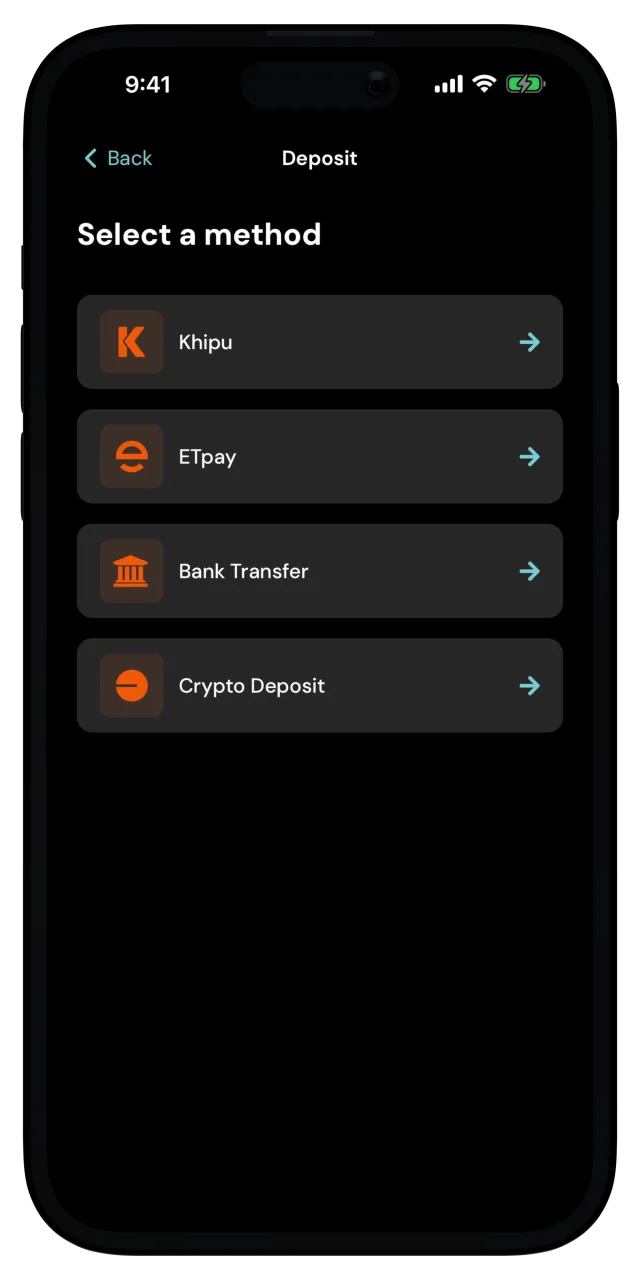
Pick the option that suits you and enter how much you want to deposit. You can type the amount in digital dollars or in your local currency, and any fees are shown upfront, before you confirm.
Each option has its own walkthrough in the Guides section, under Depositing & withdrawing, and Supported countries & currencies lists what's available where. Once the deposit goes through, the digital dollars appear in your wallet.
What you just did
You verified your identity, unlocked the deposit options for your country, and put your first digital dollars in your wallet. Now for the fun part, Send your first payment.