

Restore your wallet on a new device
Get your wallet back on a new phone with your recovery key backup.
Your digital dollars don't live on your phone, so getting your wallet back on a new device is just a matter of proving it's you.
You'll need two things:
- Your recovery key backup, in your cloud, in your email, or a file you saved manually
- The recovery password you created when you backed it up
Sign in to your account
Install MozaikPay from the App Store or Google Play, tap Get Started, and sign in the same way you did before, with Google, Apple, or your email.
Create your PIN
Enter a 6-digit PIN for this device, then enter it again to confirm. It's a fresh PIN, so it doesn't have to match the one from your old phone.
Start the restore
The app tells you No wallet found on this device. That's expected. Your account is there, but this phone doesn't hold your spending key yet. Tap Restore wallet.
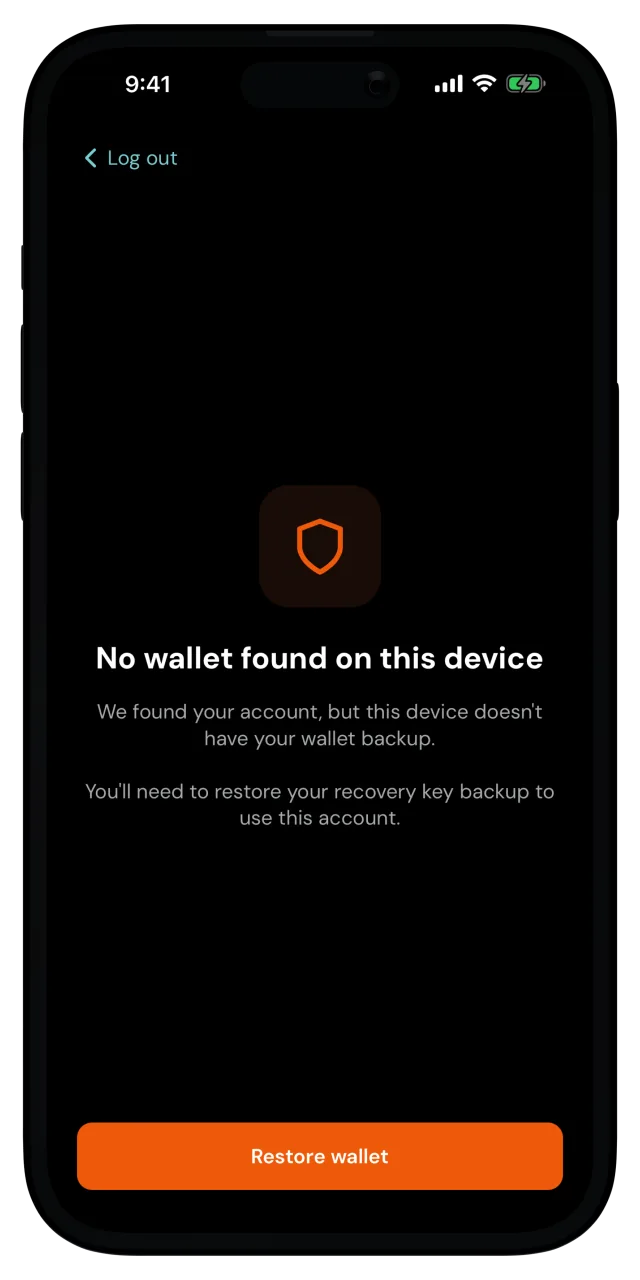
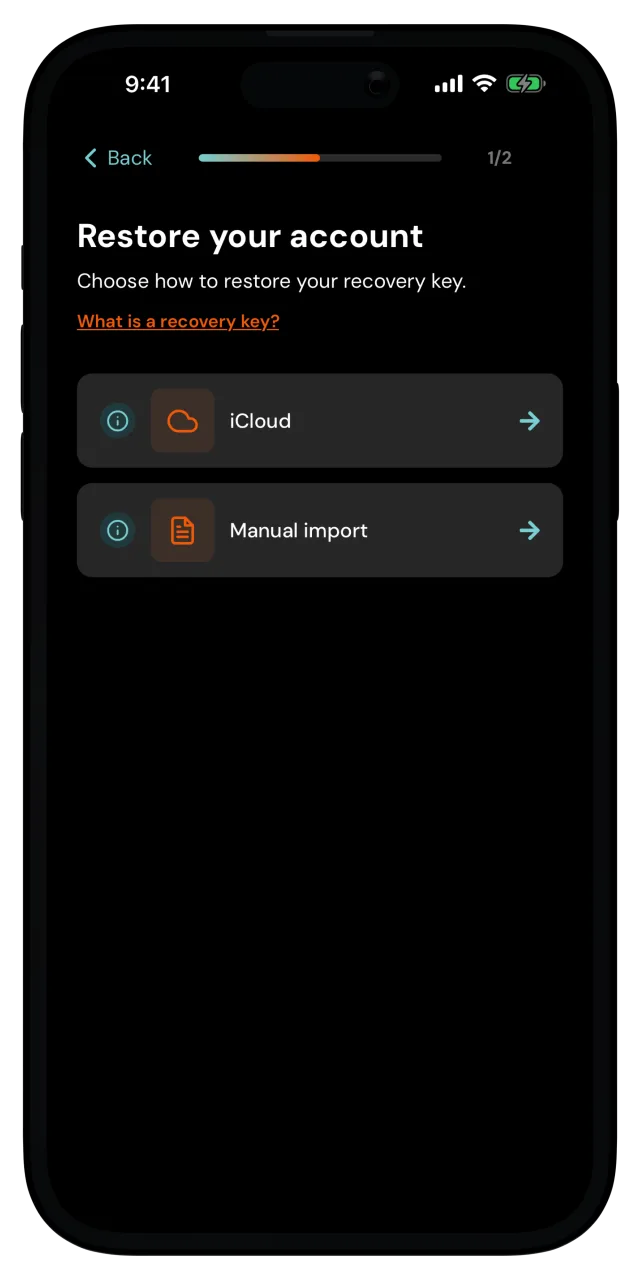
Choose where your backup lives
If you backed up to your cloud, pick iCloud (iPhone) or Google Drive (Android). Make sure the phone is signed in to the same cloud account you used before. If you have more than one backup saved, the app lists them by date, so pick the most recent or relevant one.
Used Manual backup instead? Tap Manual import and select the backup file you saved.
Used Email backup? First download the backup file attached to your backup email onto this phone. Then tap Manual import and select it.
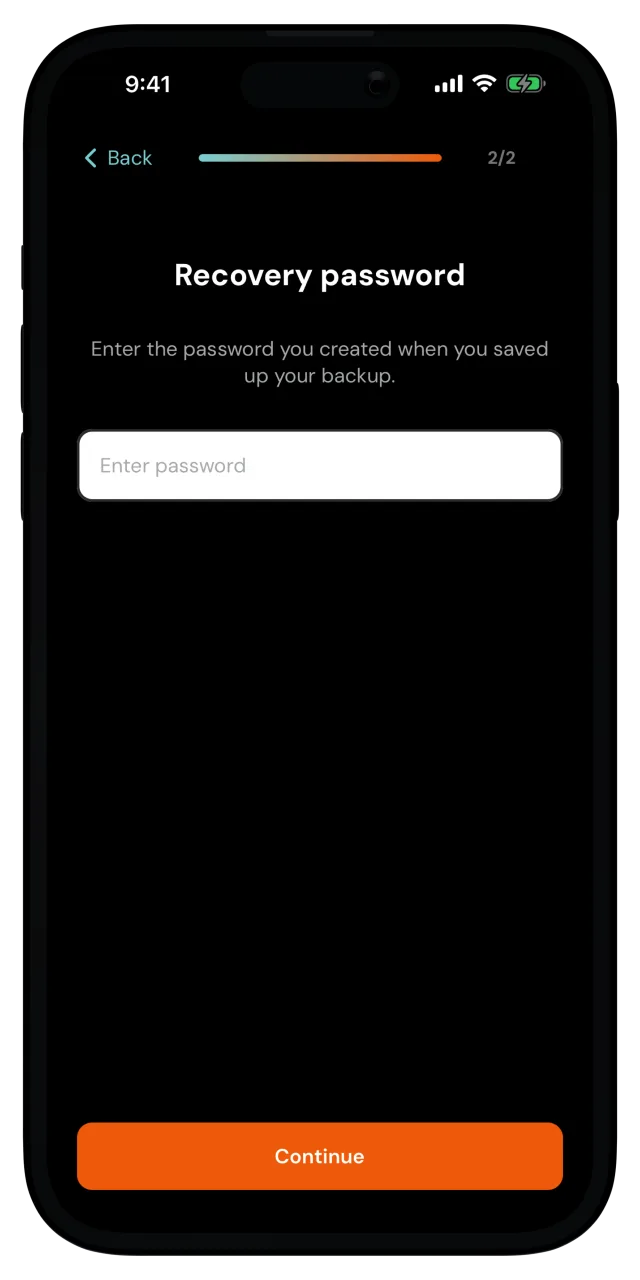
Enter your recovery password
Type in the recovery password you created when you saved the backup. This is the password that unlocks your backup, and only you know it.
The app restores your wallet, and when you see You're all set!, tap Let's get started. You're back home, with your balance and account just as you left them.
Your recovery password is not stored anywhere
Not by MozaikPay, not in your cloud account. Without the backup and its password, the wallet can't be restored, so keep both safe.
Still have your old phone and just want a fresh backup? You can change your recovery key instead. And if you're curious how all of this keeps your money safe, What happens if I lose my phone? tells the whole story.