

Request a payment
Ask for an exact amount someone can send to you, via link or QR.
When someone needs to pay you, you don't have to spell out your username and the amount. Create a payment request instead, a link with both already filled in. The other person opens it and pays in a couple of taps.
A payment request on its own doesn't move any money. It's simply a prefilled payment waiting for the other person to confirm, so your balance and theirs stay untouched until they do.
Enter the amount
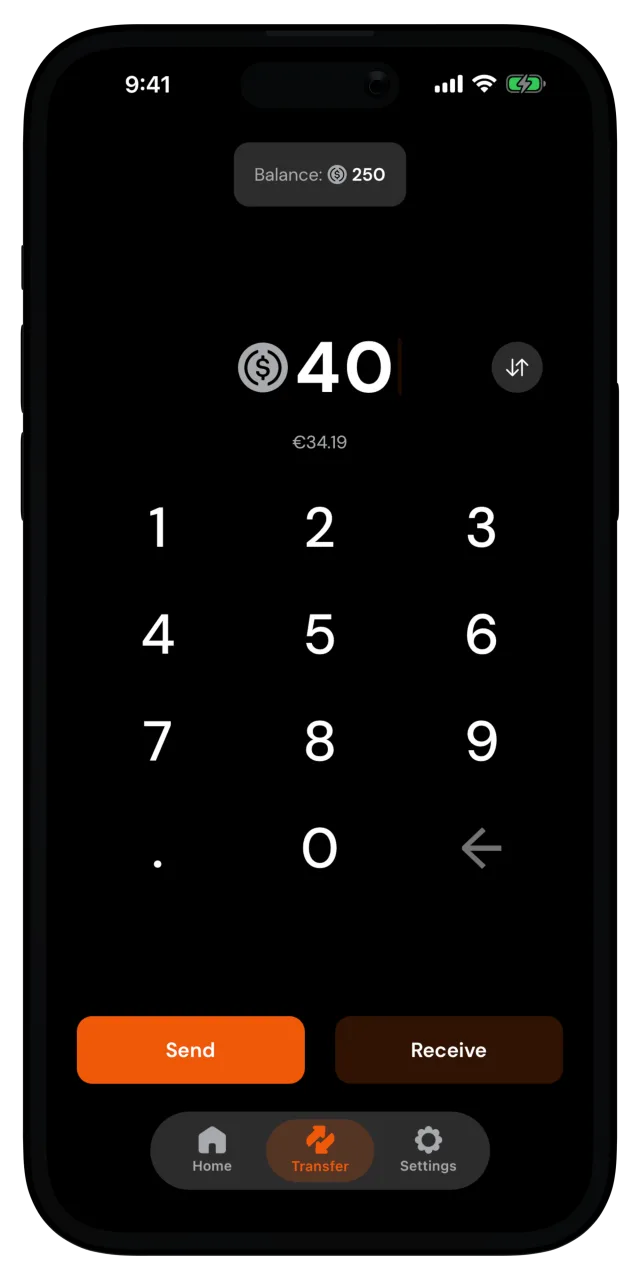
Open the Transfer tab and type in how much you're asking for. You can enter it in digital dollars or in your reference currency. Tap Receive.
Add a note
You can remind them what it's for, or send the request without a note. They'll see the note when they open the request.
Share the request
The Receive Payment screen shows your request as a QR code, with the amount and note below it. Tap Share payment request and send the link through any app you like. If you're together in person, they can scan the QR code with their phone camera instead.
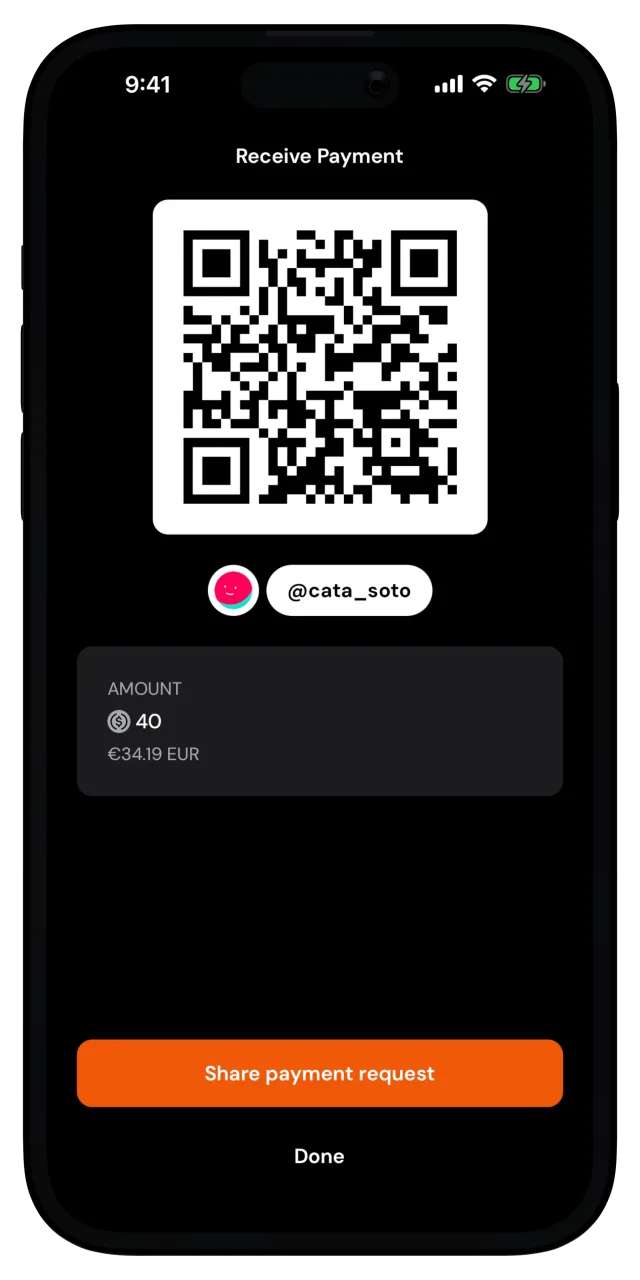
Tap Done when you've shared it.
When they open the link, their MozaikPay app opens with your username, the amount, and the note already filled in. They can adjust the amount before confirming. The moment they confirm, the money lands in your wallet, almost instantly and for free, and the payment shows up in your recent activity.
MozaikPay account required
Payment requests are settled from a MozaikPay wallet. If the other person is new, point them to Set up your account, it only takes a few minutes.