

Cash out in Argentina
Send digital dollars from your wallet to your Argentine bank account in pesos.
Cashing out converts digital dollars back into Argentine pesos and sends them to your bank account.
Identity verification required
Local payment methods run through licensed partners, so you need a verified identity before you can use them.
Add your bank account
Tap Withdraw on the home screen, then Bank Transfer. If you didn't add a bank account beforehand, you can do so by tapping Add account on the prompt.
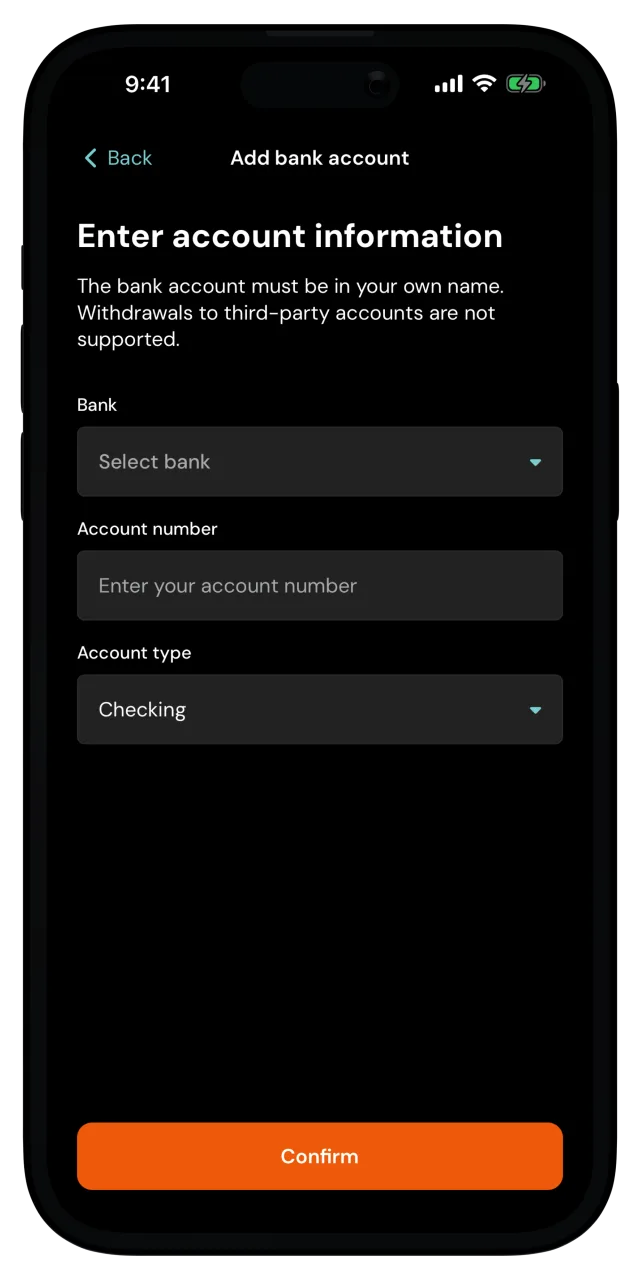
Pick your Bank from the list, enter your CBU or CVU as the Account number, and choose the Account type. Tap Confirm.
The account has to be yours
The bank account must belong to you, and be in your own name. Withdrawals to someone else's account are prohibited, and will be blocked.
Choose the account
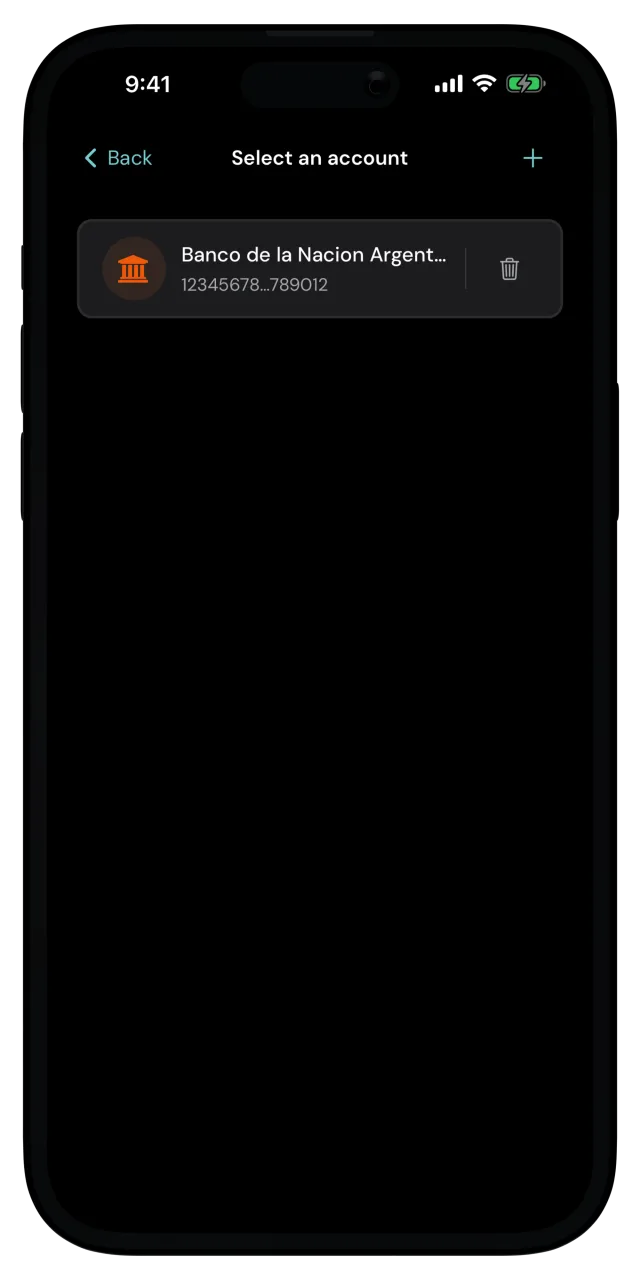
On Select an account, tap the account you want the funds to land in. You can add another account with the + at the top, or remove an existing one.
Enter the amount
Type how much you want to cash out. You can enter it in digital dollars or in Argentine pesos, and you can tap your available balance to use the maximum. Tap Next.
When you type in pesos, that's what actually lands in your bank account. The app shows the digital dollars it takes from your wallet, fees included, right below.
If the amount is outside what the partner accepts, the app tells you the minimum or maximum right there, so adjust it and carry on.
Check the quote and confirm
The Confirm withdrawal screen shows what you receive in pesos, the fee included, and the exchange rate.
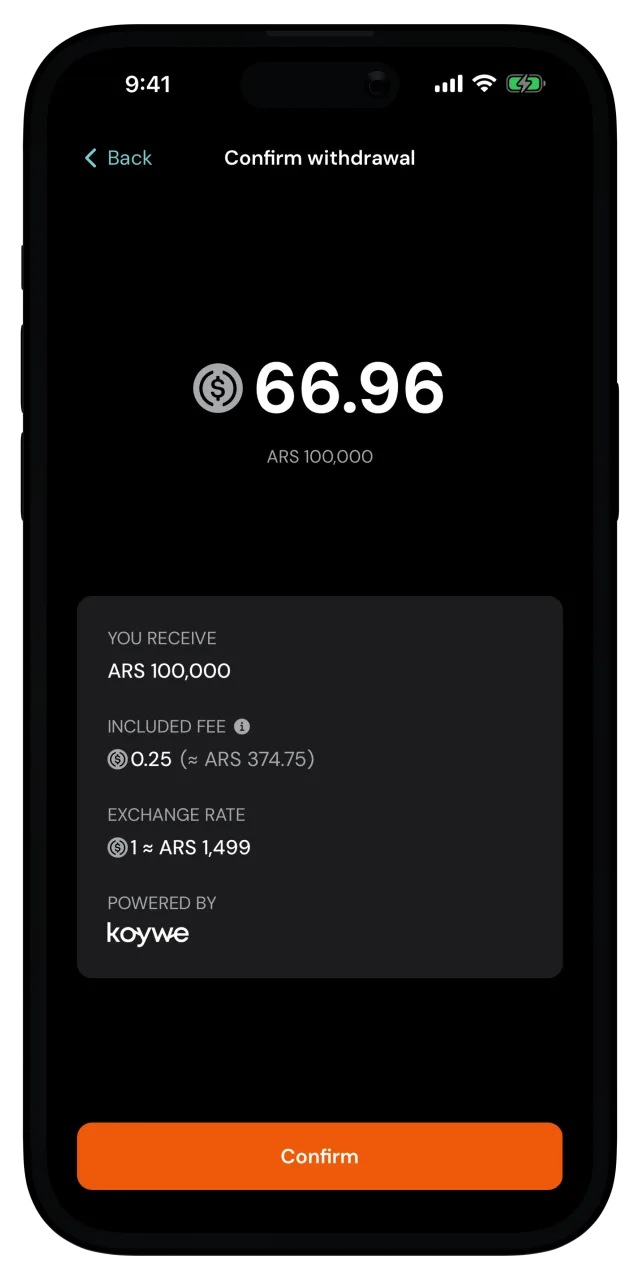
A quote is only good for a short window, so the button counts down. If it runs out, the app fetches a fresh quote and you can confirm again. Tap Confirm and confirm it's you if the app asks.
You're done
Withdrawal request sent! The funds are on their way to your bank account. Tap Done to go back home.
The withdrawal shows up in your recent activity, and the pesos arrive once the partner completes the transfer to your bank. If the transfer fails for whatever reason, the digital dollars are returned to your wallet automatically.
Looking to add funds into your wallet? See Add money with Khipu or Add money by bank transfer.