

Withdraw crypto (USDC)
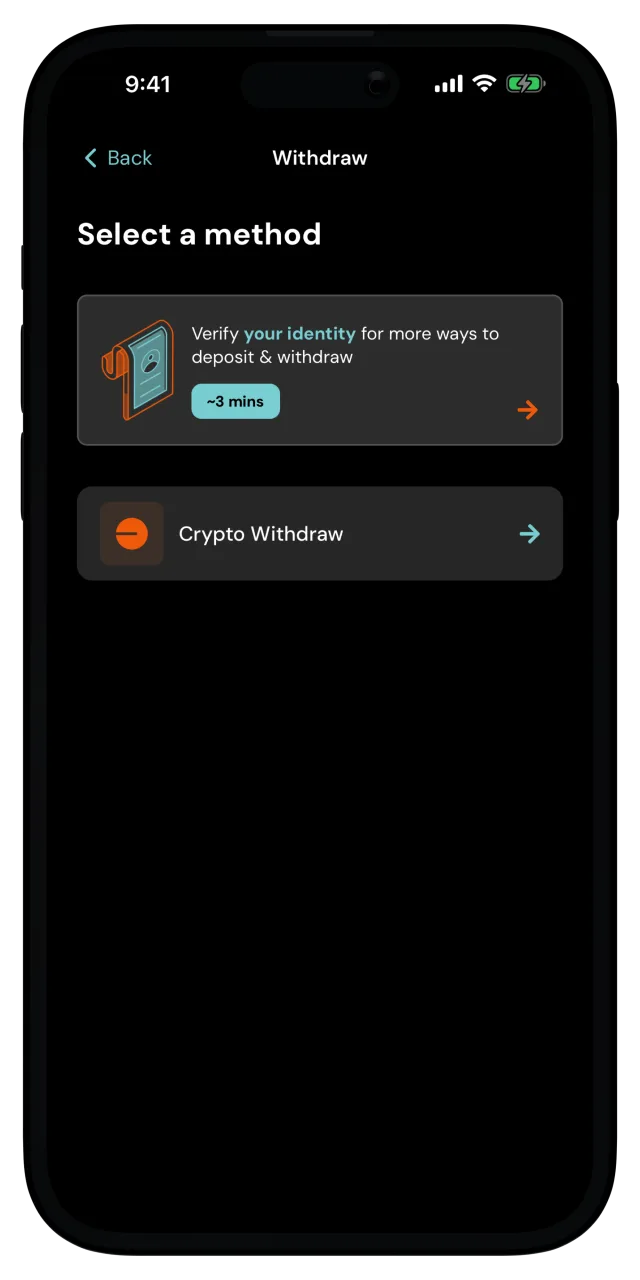
Send USDC from your wallet to any Base address.
You can move USDC out of MozaikPay to any address on Base, whether that's your own wallet, an exchange, or someone else. For this, identity verification is not needed, and MozaikPay covers the network fee.
Withdrawals are final
Withdrawing to the wrong address or the wrong network may result in permanent loss of funds. Nobody can reverse a withdrawal once it's sent, so check the address before you confirm.
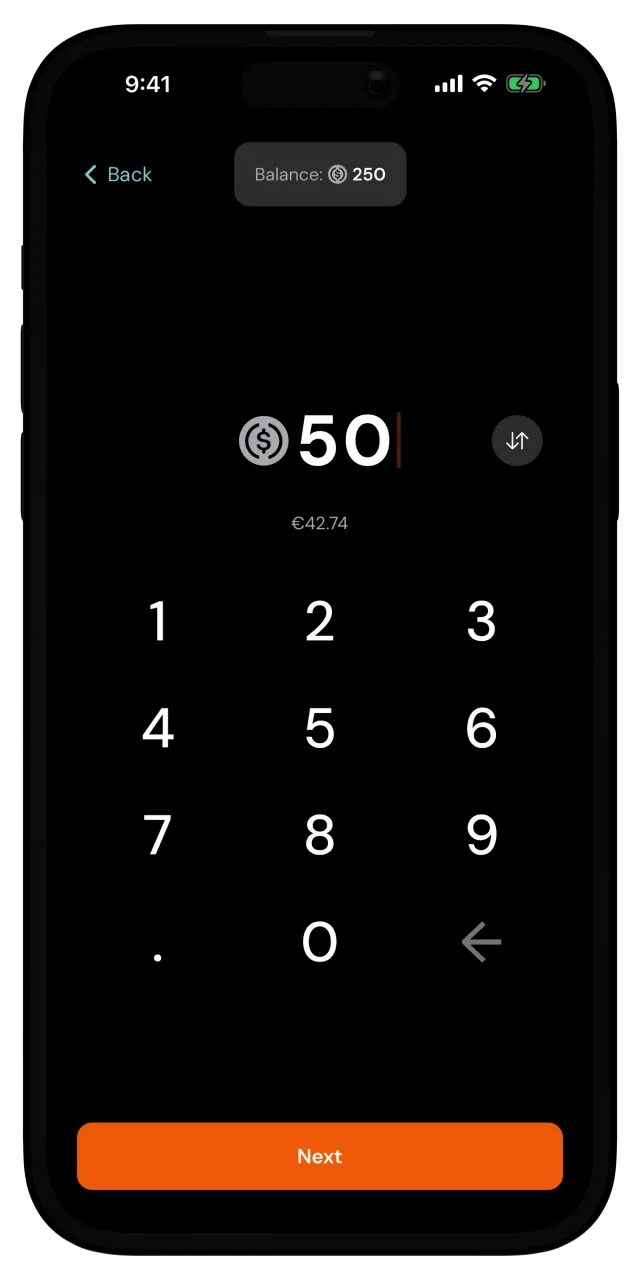
Enter the amount
Type how much you want to send. You can enter it in digital dollars or in your reference currency, and you can tap your available balance to fill in the maximum. Tap Next.
Enter the destination address
Paste the Base address you're sending to, or tap the QR icon in the field to scan it. ENS names work too, and the app resolves them for you. Tap Continue.
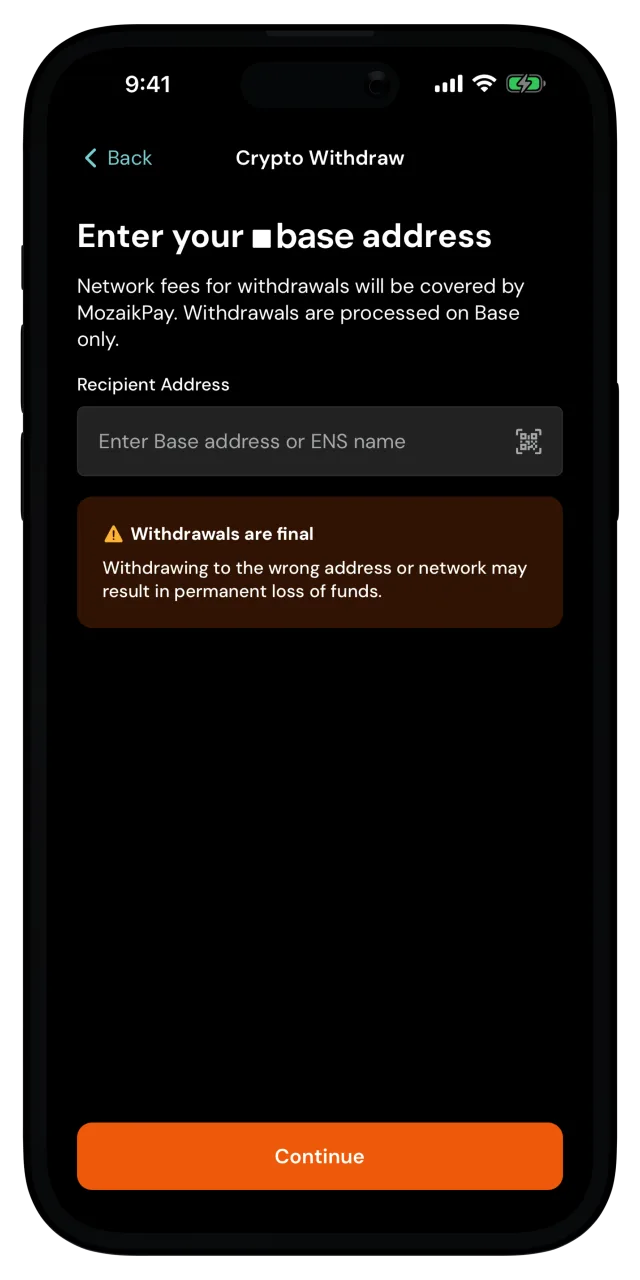
Withdrawals only go out on Base, so the destination has to be an address that can receive USDC on Base. If it can't, there's no way to recover the funds.
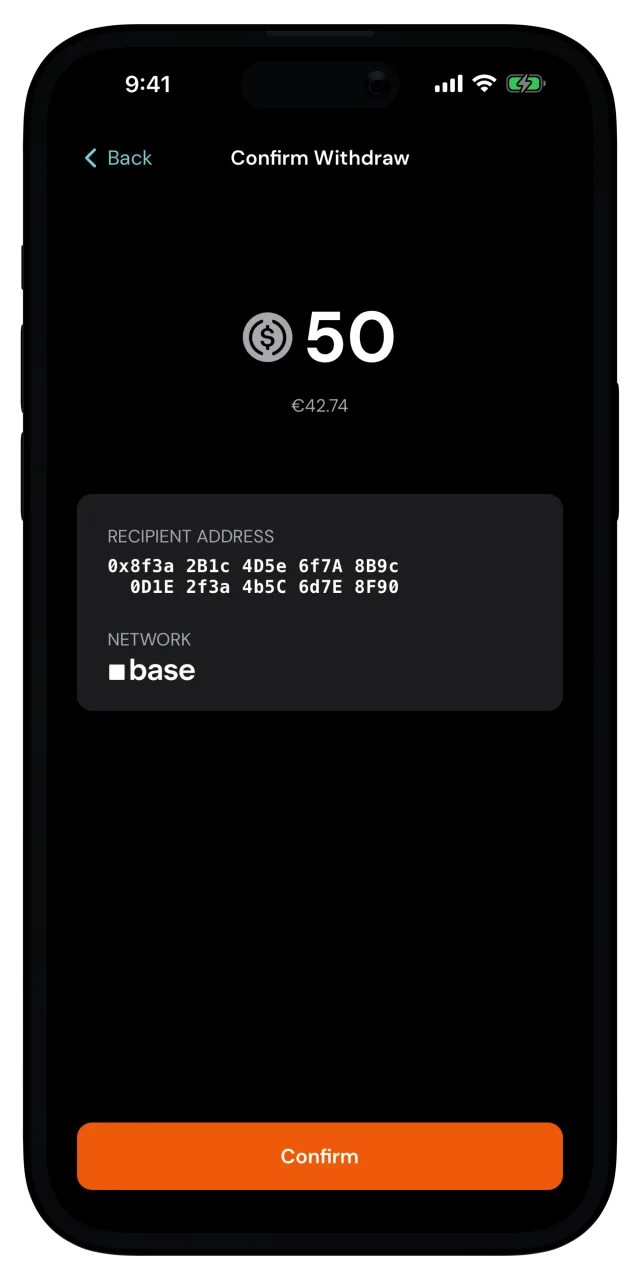
Confirm
The Confirm Withdraw screen shows the amount, the recipient address, and the network. If you entered an ENS name, you'll see the address it resolved to, so check that it's the one you expect.
The address is shown checksummed, so its mix of capital and lowercase letters can look different from what you pasted. It's the same address.
Tap Confirm and confirm it's you if the app asks.
You're done
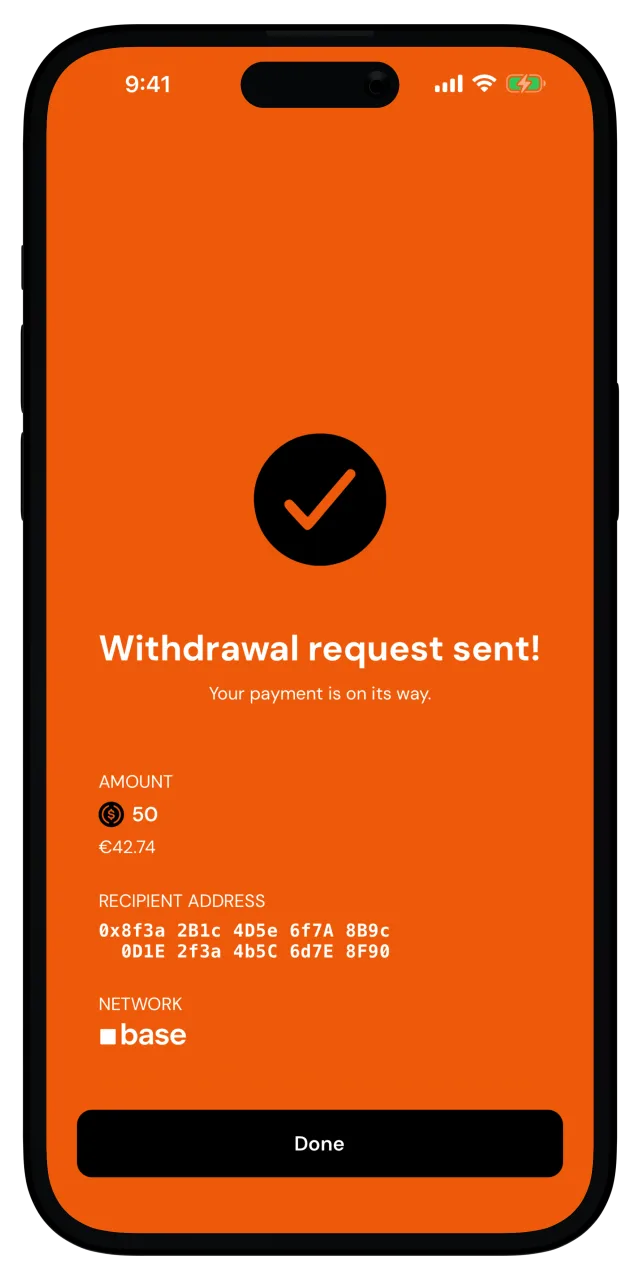
Withdrawal request sent! Tap Done to go back home. The withdrawal shows up in your recent activity, and the USDC arrives at the destination once it confirms on Base.
If the withdrawal is blocked
Some destination addresses are blocked by compliance screening. If you see that message, the withdrawal was never sent and your USDC is still in your wallet. You can try a different address, or if you believe it's a mistake, get in touch with our team.
Need to move USDC into your MozaikPay wallet instead? See Receive a crypto (USDC) deposit.